← Work

Designing a Mobile Trade Flow for an On-Chain Trading Terminal

This is an on-chain trading terminal for new tokens. I designed the mobile app, which followed the desktop release on one shared design system. The focus of this case study is the trade flow: getting from a token to a filled order in as few taps as possible.
Role
product designer, owned mobile
Team
2 designers, 1 PM, 2 engineers
Timeline
2 months
Year
2025
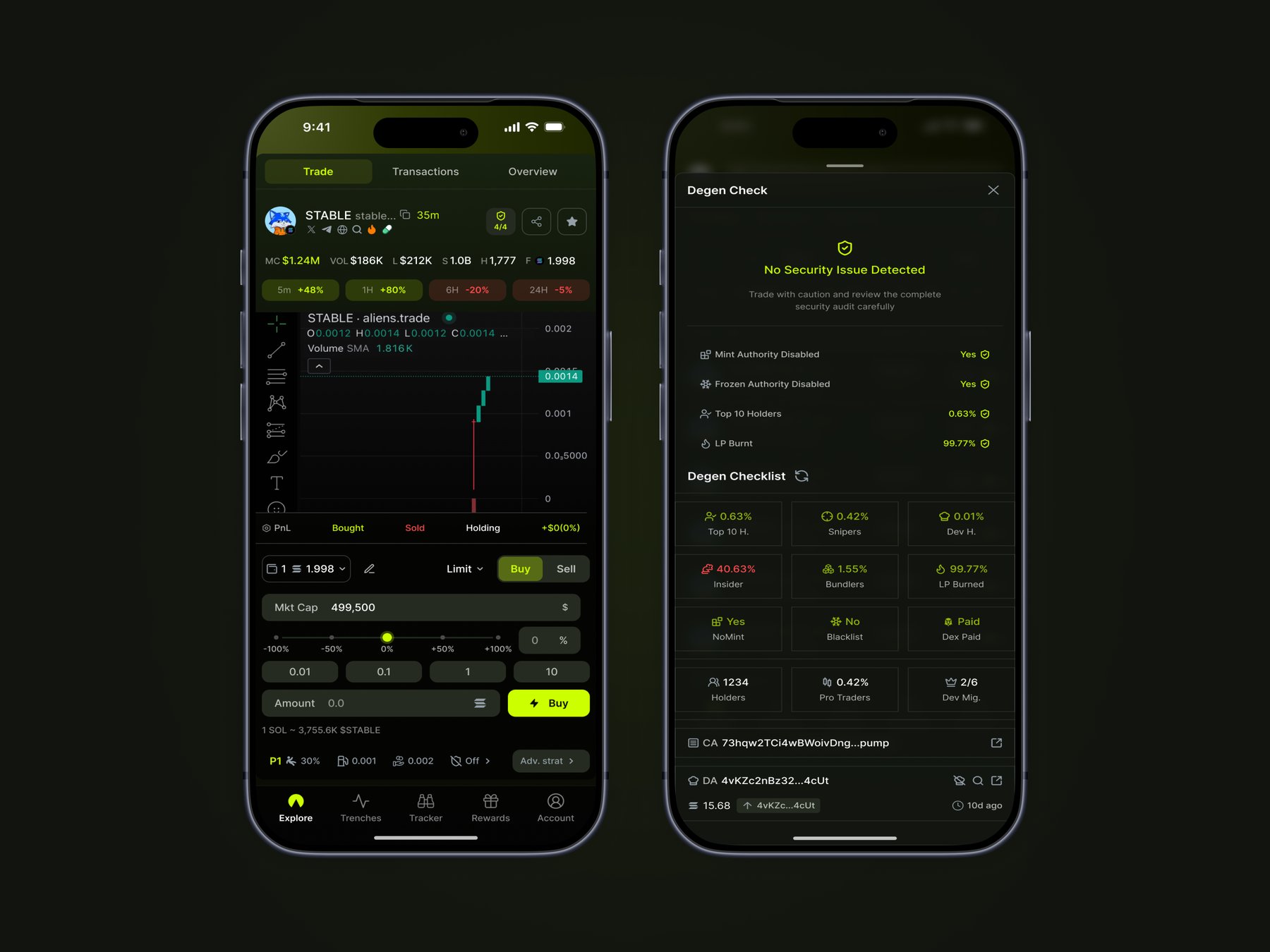
Mobile app: Token Details with a Limit order and the safety check
The problem

Trading windows close in minutes

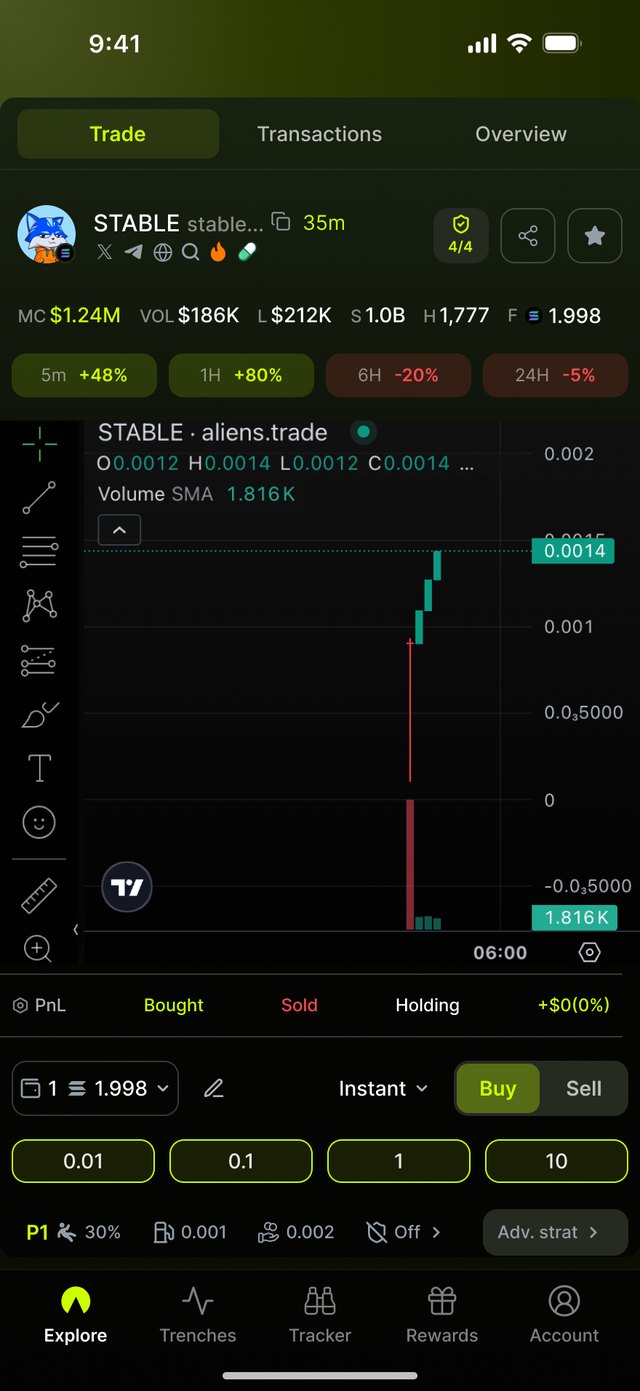
Traders check whether a token is safe and buy before the move, often away from a desk. The mobile flow had to keep the speed of buying and selling without hiding what a trader needs to see before pressing Buy or Sell.

Approach

One design system, two layouts

Desktop led and mobile followed close behind: the plan was to release desktop first, then add mobile right after as a responsive app. Both used the same tokens and components; on mobile I kept the visual language and changed how each component behaves on touch.
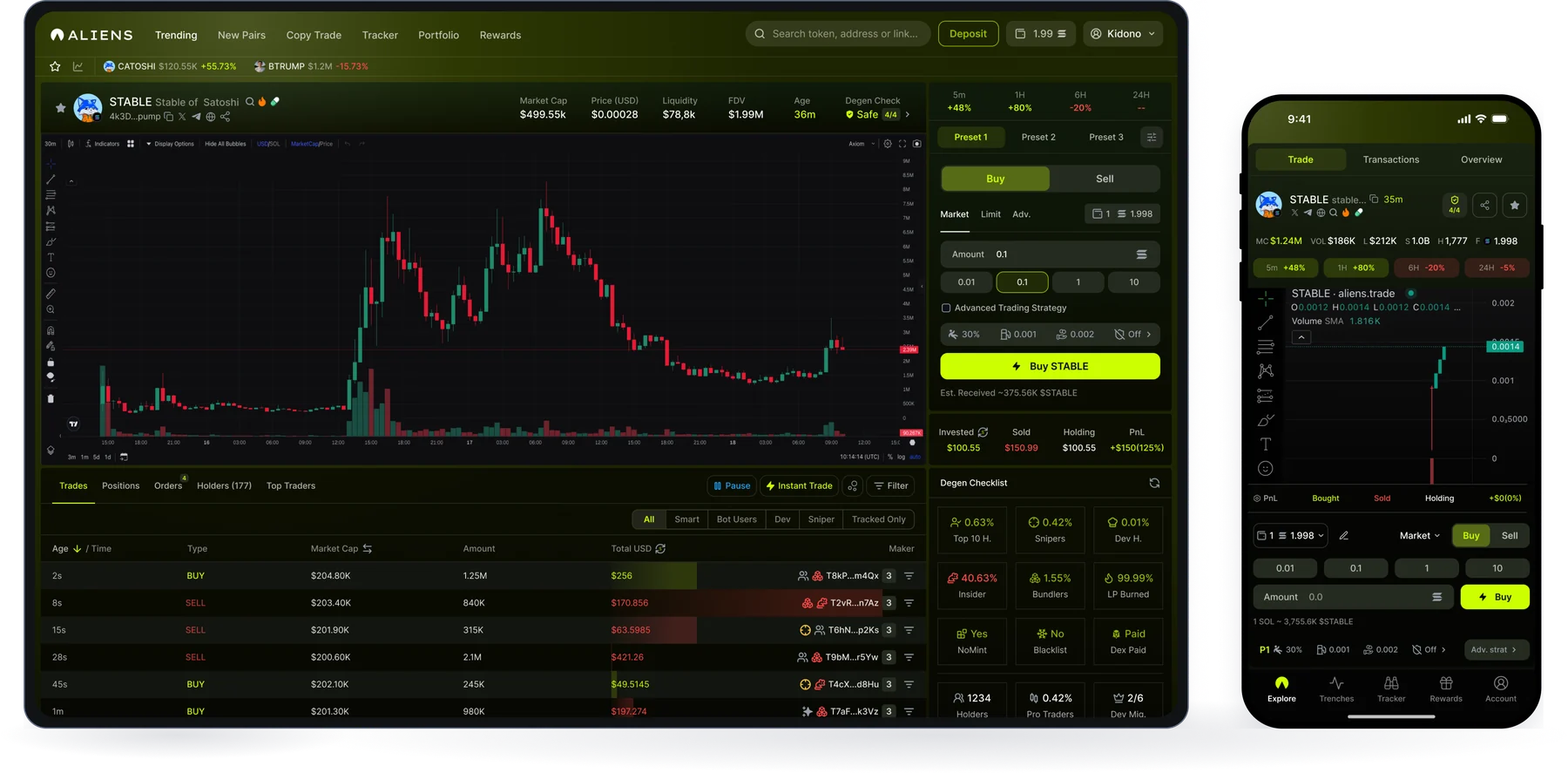
Token Details on desktop and mobile
Competitor research

What the leading terminals do well

Before designing, we reviewed the trading terminals our users already used. Each one is strong at one part of the job; none felt built for a phone first.

ProductKnown forWhat we took
GMGNSmart-money and wallet tracking, trader labels, token security checksTrader-type filters in Transactions, Tracker with wallet profiles, a safety check behind the 4/4 badge
AxiomSpeed: one-click buys from token lists, new pairs by stage, migration sniping, TP / SL strategiesInstant mode and Quick Buy on every row, Launch feed by stage, Snipe on pool open, Advanced rules with one shared TP / SL structure
Trade flow

From any list to a filled order

1 · EntryFind a token
  • Quick Buy on Explore
  • Buy on a launch card
  • Quick Buy in the wallet tracker
  • Token Details
2 · CheckJudge the token
  • Stats and chart
  • 4/4 safety badge
  • Live trades, holders
3 · OrderPick a mode
  • Instant
  • Market or Limit
4 · SendReview and send
  • Active preset: slippage, fees, MEV
  • Estimated tokens
5 · ResultSee what happened
  • Filled, with PnL
  • Failed, with a fix
Key decisions

A few decisions that shaped the trade panel

Amounts as buttons

Amounts as buttons

DesktopType an amount, then press Buy.

MobileFour amount buttons. One tap sends the order.

No keyboard covering the chart, and the same few sizes every trade.
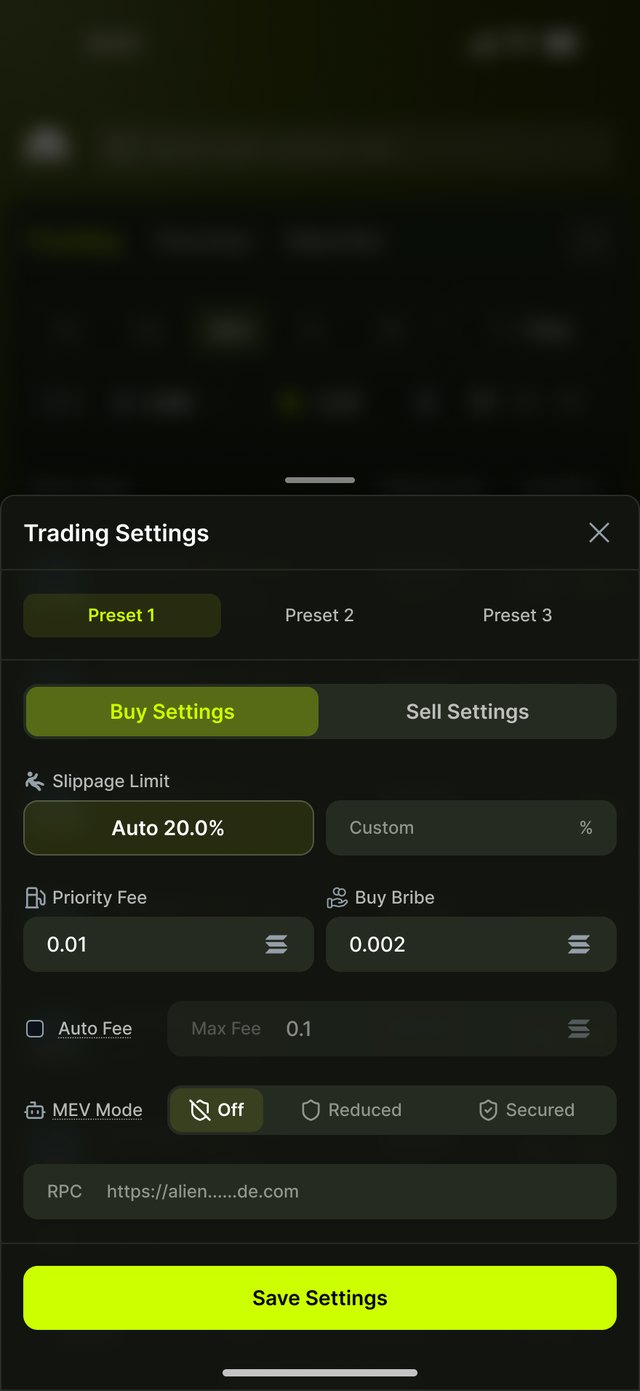
Presets, not fields

Presets, not fields

DesktopFee and slippage fields in the panel.

MobileThree presets, always shown in a bar.

Set once, switch in one tap, always see what applies.
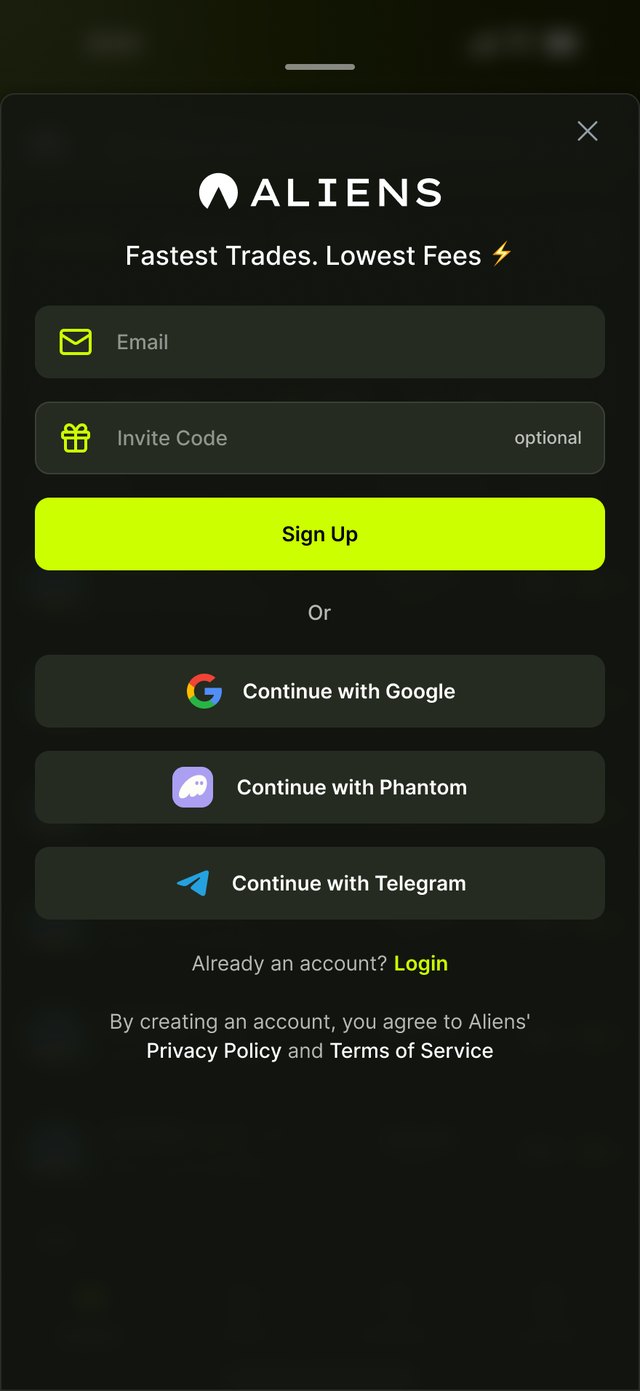
Sign in → Explore

From sign-up to the first trade

Sign up, then buy straight from the list

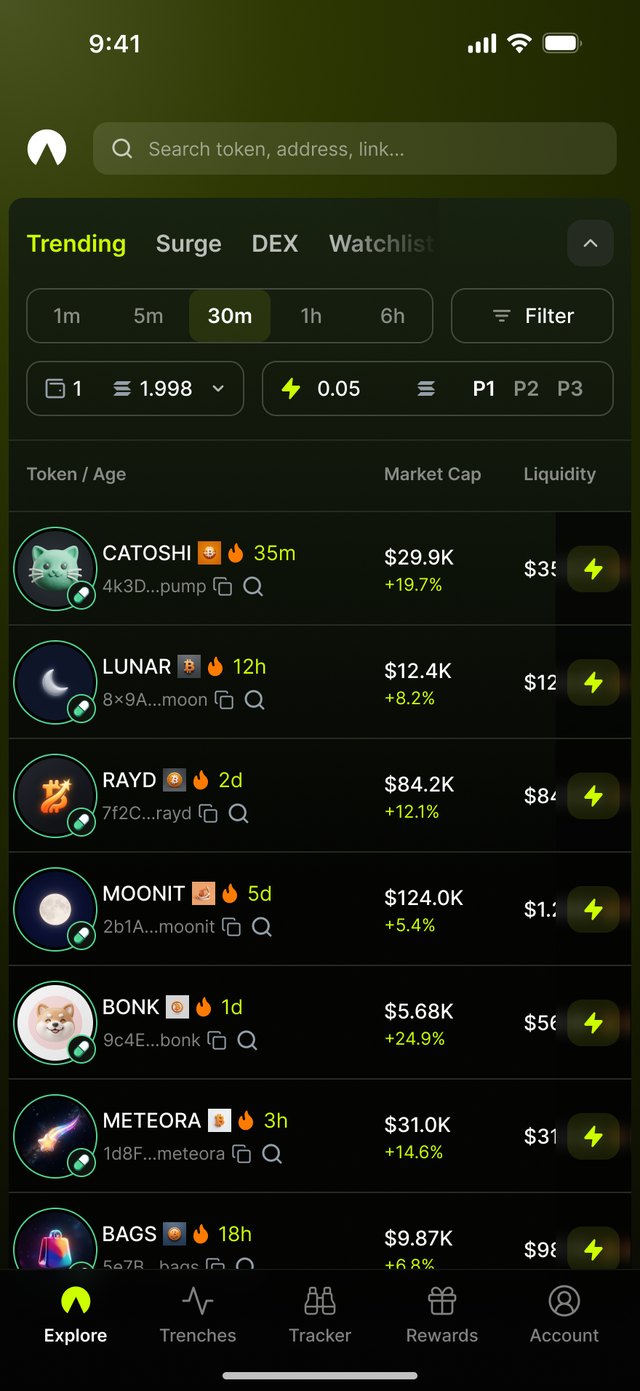
Explore anatomy12345
1
Lists · Trending, Surge, Watchlist
2
Time window and Filter
3
Wallet, Quick Buy amount and preset P1–P3
4
Token row · age, market cap, liquidity
5
Lightning button · one tap buys with the active preset

Presets make one tap safe

Tap the preset chip on Explore to open Trading Settings. Slippage, fees and MEV are saved per preset, for buy and sell; switch P1–P3 in one tap.

Explore with preset chip
ExplorePreset chip P1–P3
Trading Settings sheet
Trading SettingsOpens as a bottom sheet
Token Details

Read the token and trade it on one screen

The screen follows the order a trader decides in.

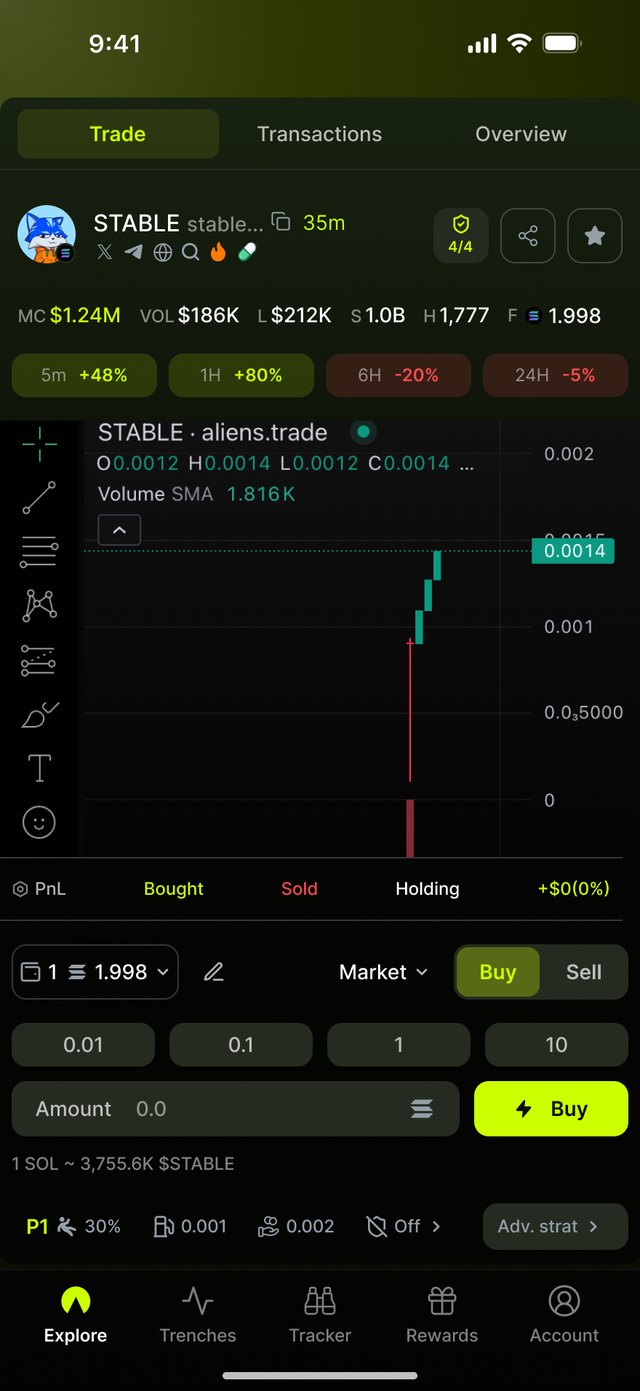
Token Details anatomy123456
1
Header · token, age, socials, 4/4 safety badge
2
Stats · market cap, volume, liquidity, holders
3
Chart · the same chart as desktop
4
Position · bought, sold, holding, PnL
5
Trade panel · wallet, mode, Buy/Sell, amounts
6
Preset bar · slippage, fees, MEV

Before the trade

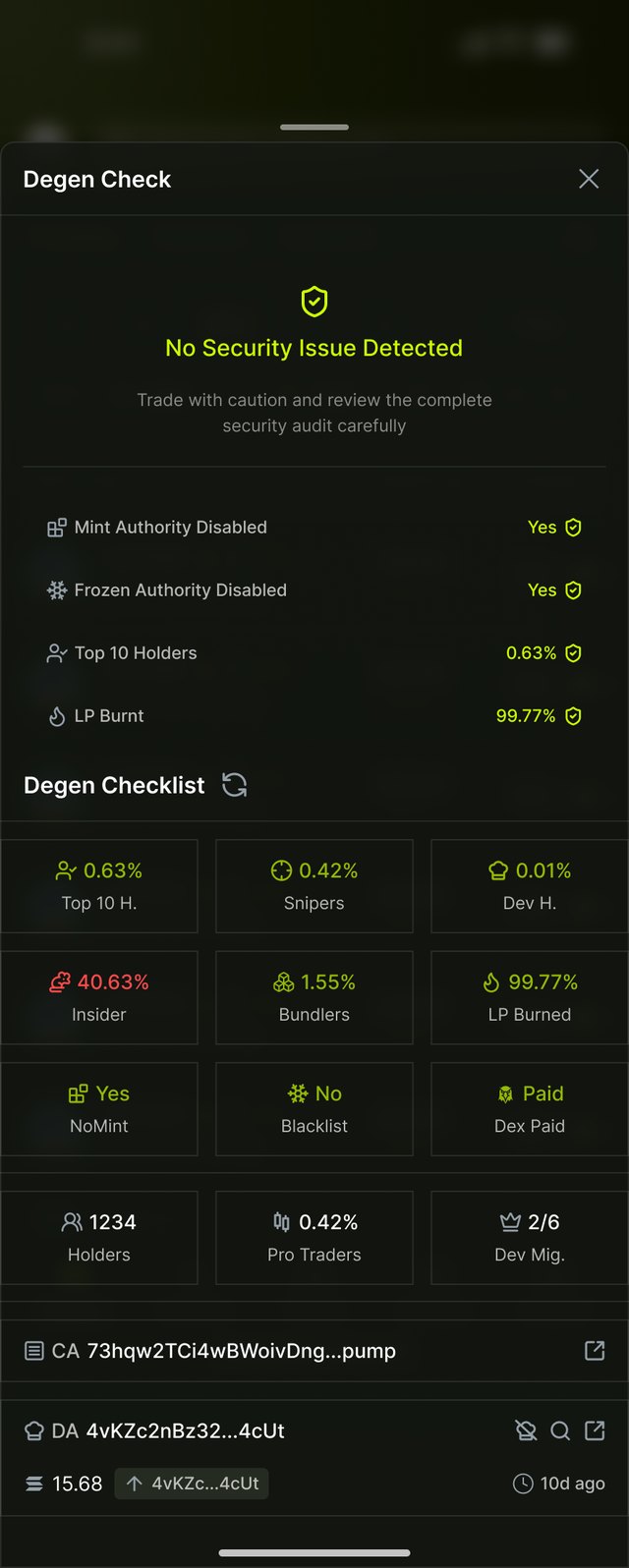
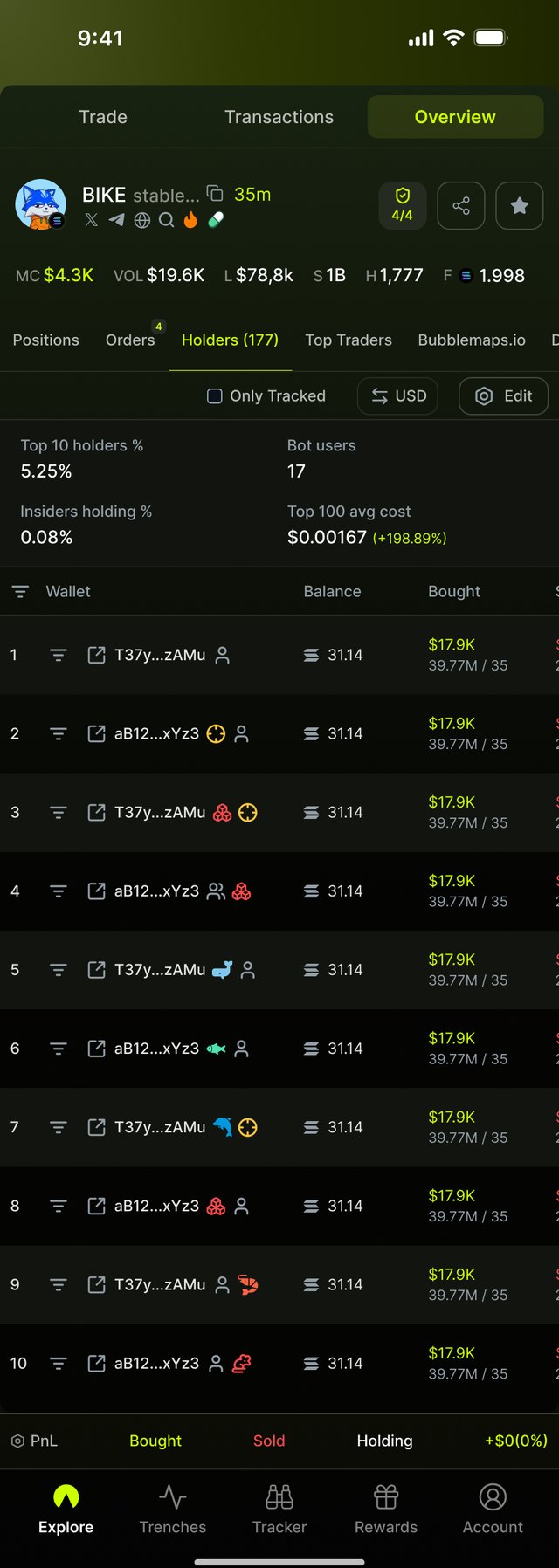
Live trades by trader type, holders tagged by wallet type, and the safety check behind the 4/4 badge.
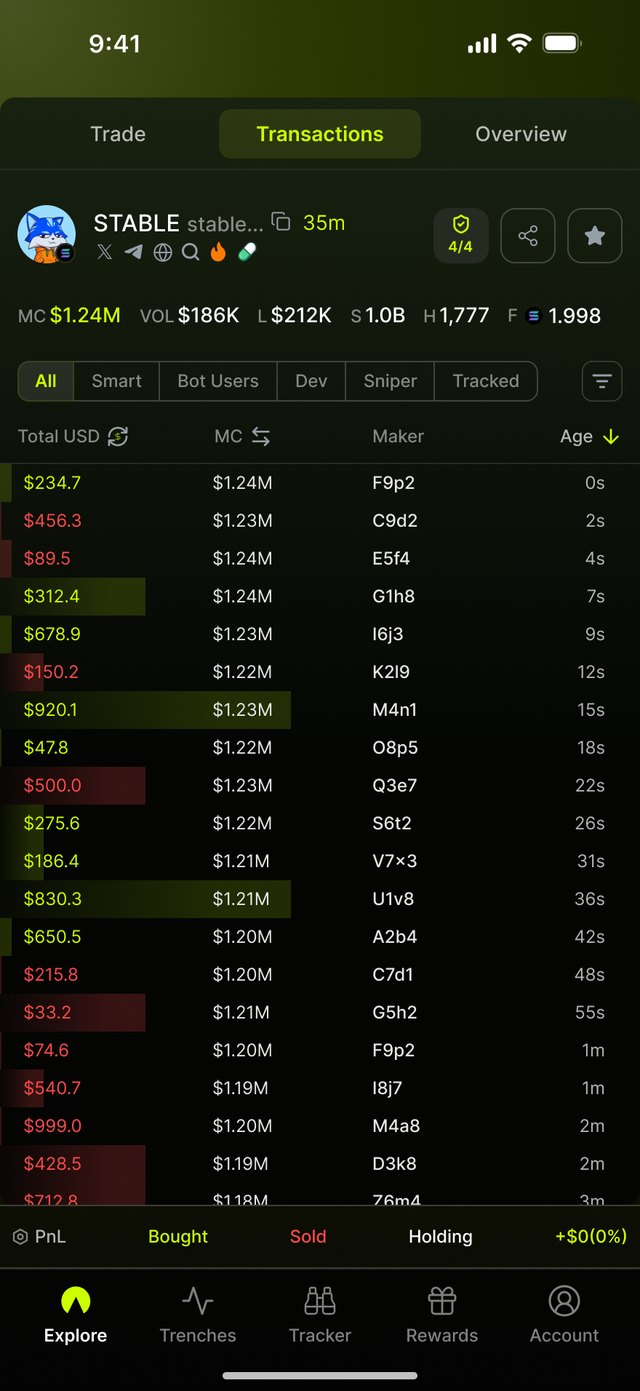
Transactions
TransactionsFilter by Smart, Dev, Sniper
Holders
HoldersTagged by type and size
Safety check
Safety checkMint, freeze, top 10, LP burnt
Trade modes

Two ways to trade, one panel

Ordered from fastest to most controlled. Switching mode changes only the panel; chart and position stay put.
Instant

Instant buy
Default is InstantPreset amounts, one tap to buy
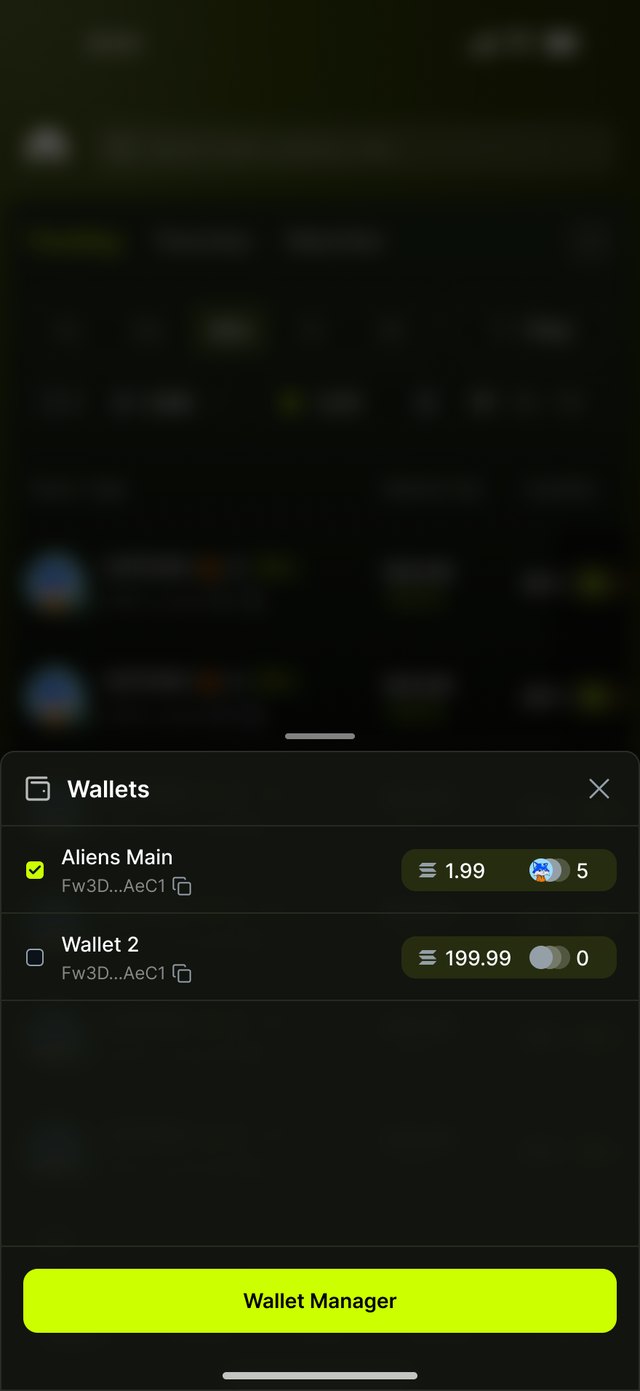
Wallet picker sheet
Select walletSwitch to another wallet before trading
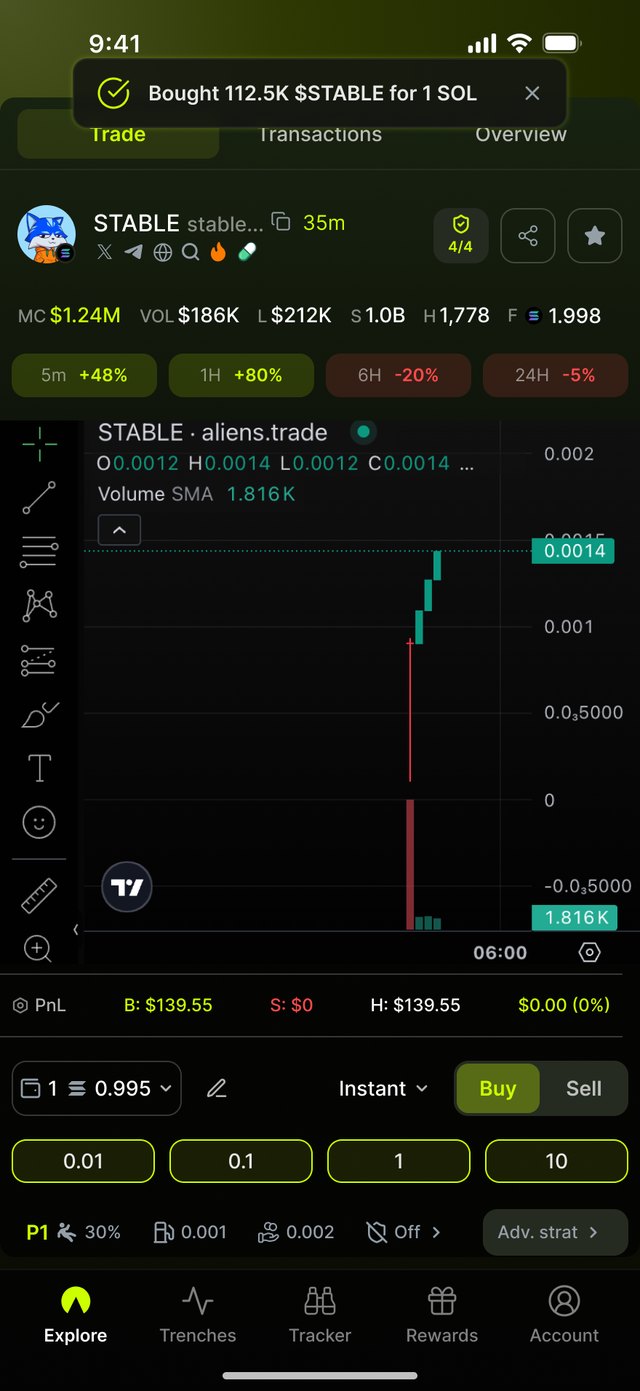
Buy success toast
Order filledToast confirms tokens received; position updates

Market and Limit

Market buy
MarketPick a preset or type any amount. The estimate shows how many tokens you get before you tap Buy.
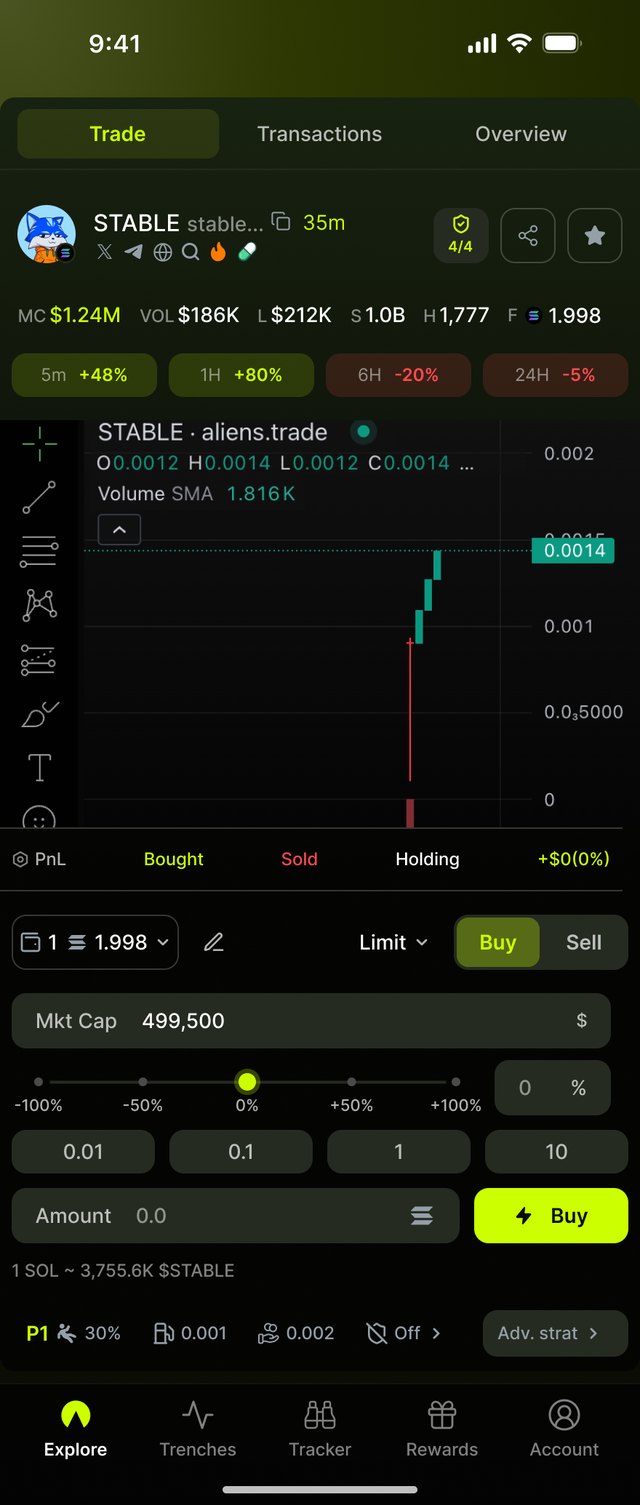
Limit buy
LimitSet a target market cap, or drag the slider from −100% to +100% of the current one. The order waits until the price gets there.
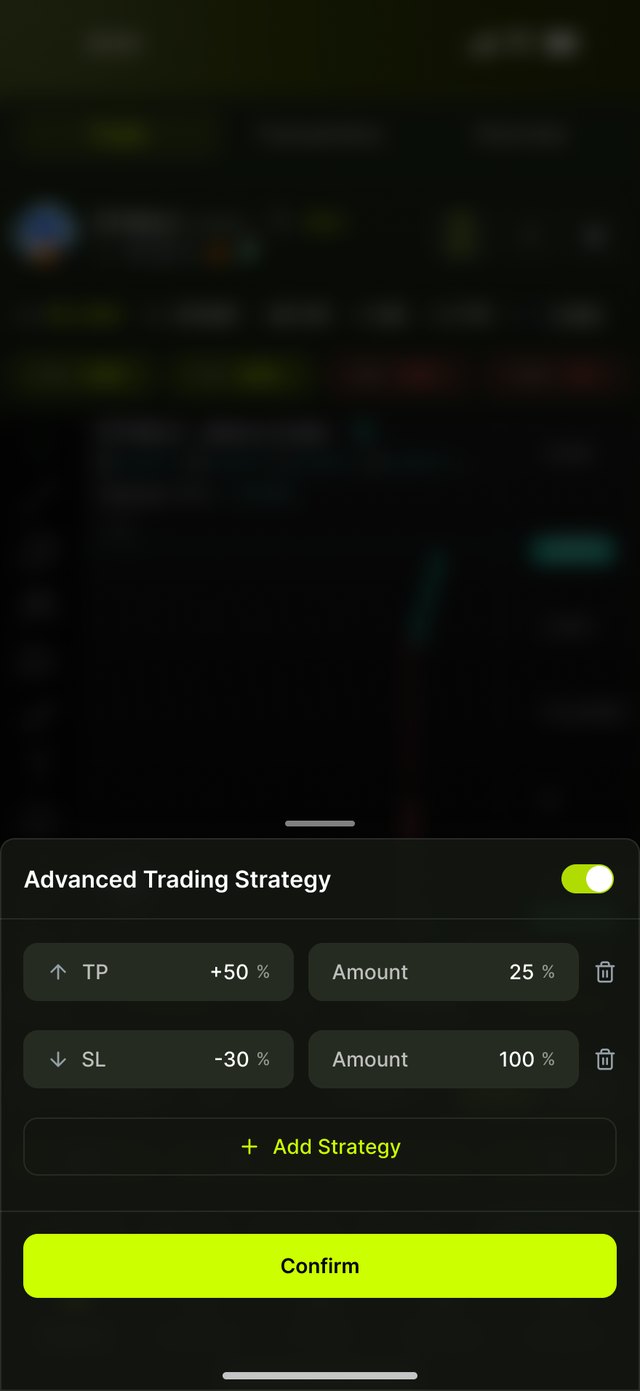
Advanced Trading Strategy sheet
Advanced strategyAdd take-profit and stop-loss steps before sending. Here: sell 25% at +50%, sell everything at −30%.
Full cycle · Sell

From position to profit

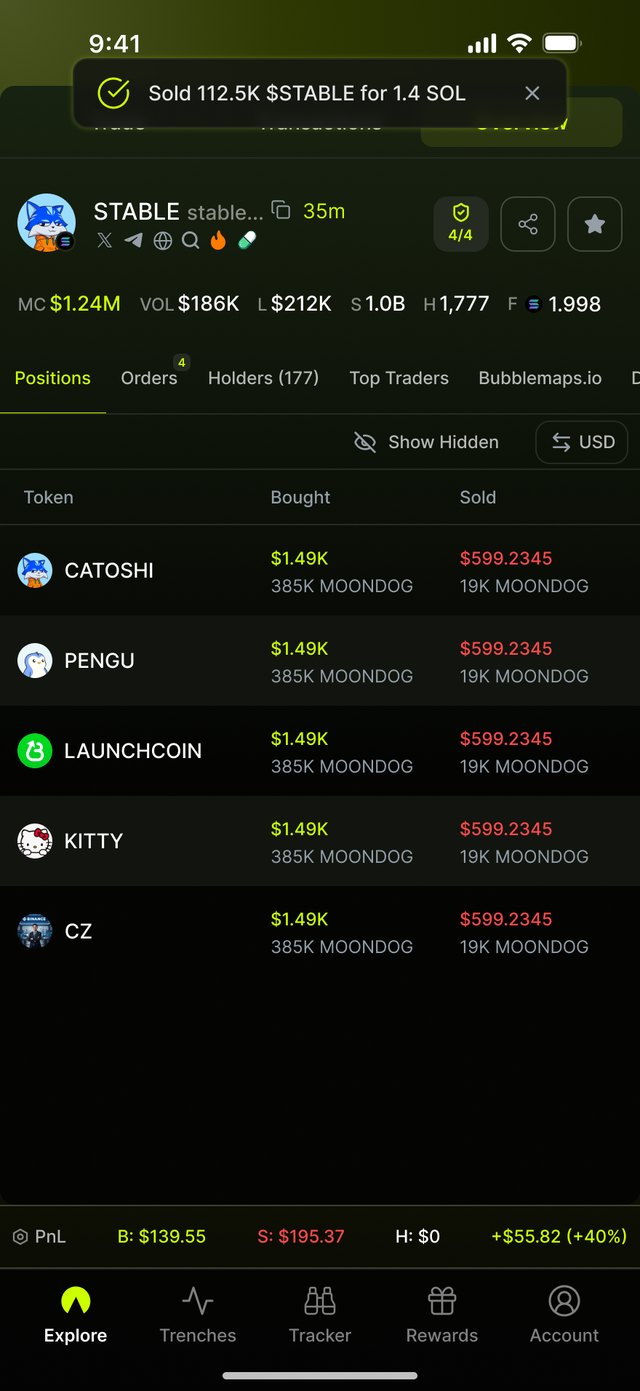
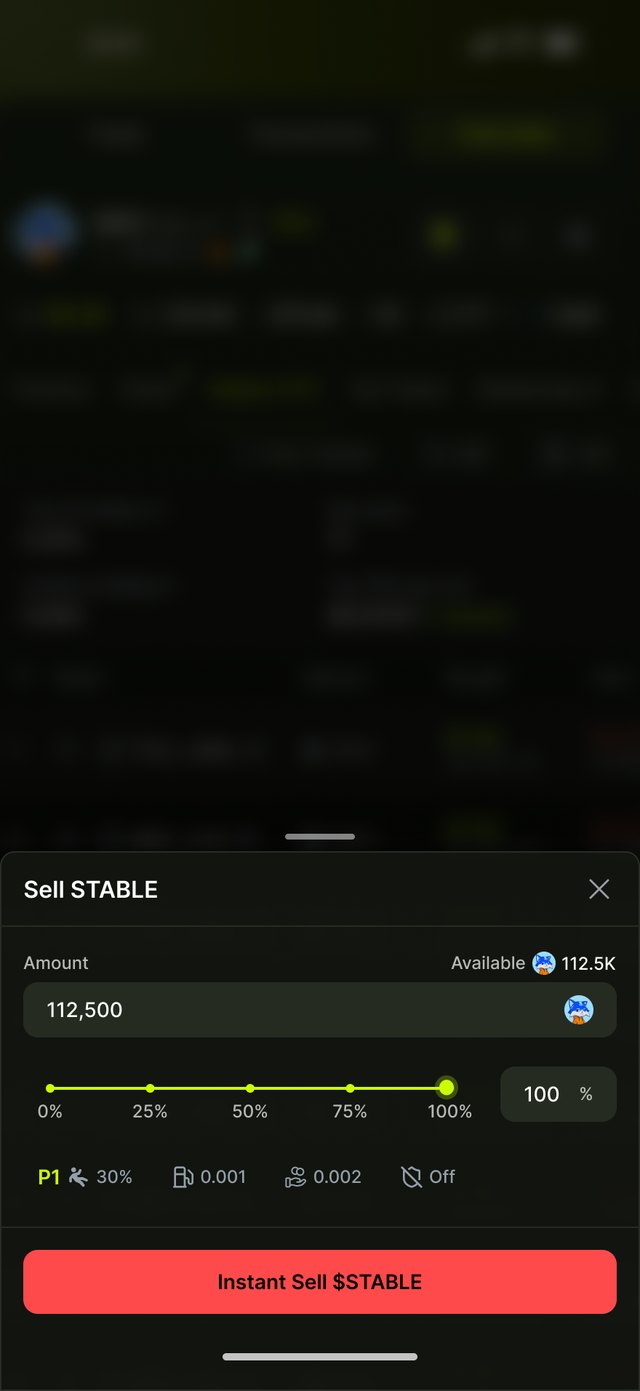
Positions shows value and PnL per token, each with a Sell button. The sell sheet works in shares of the holding, and the result lands back in the same list.
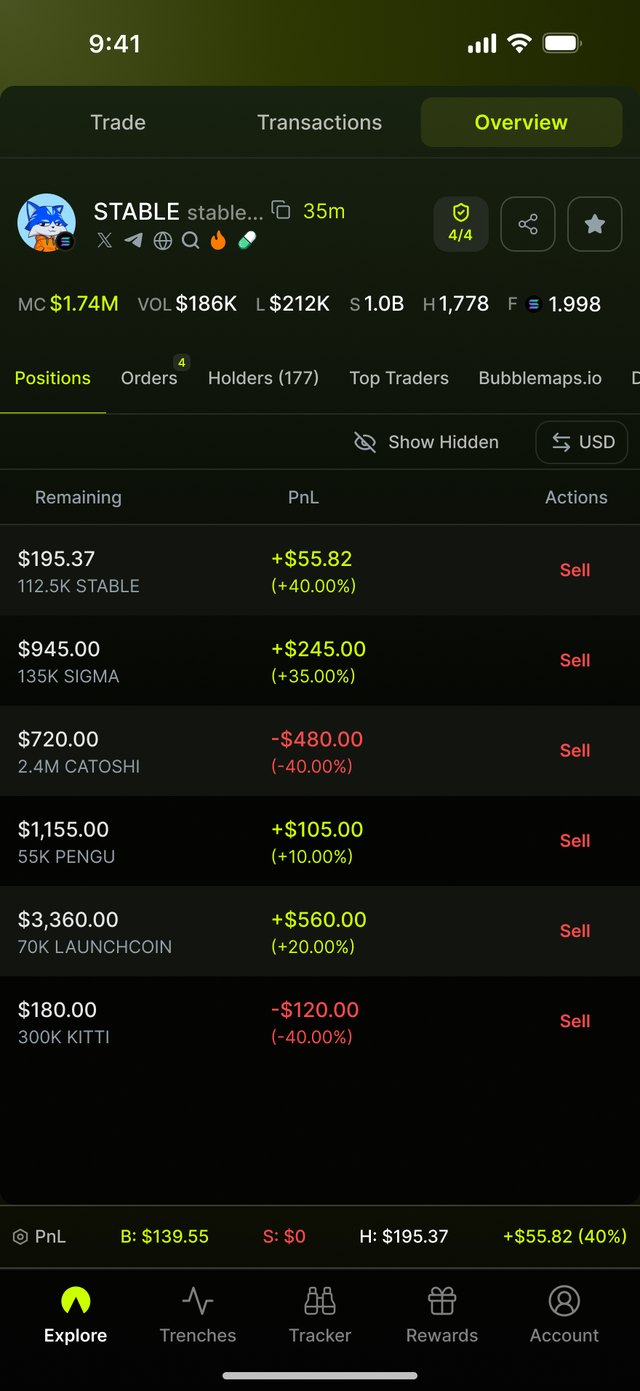
Positions with open STABLE position
1 · Review positionsSee value and PnL of every token held, then tap Sell on the one to close.
Sell STABLE sheet
2 · Choose how muchDrag or type a share of the holding and confirm. Fees come from the active preset.
Sold toast and realized PnL
3 · See the resultA toast confirms the sale, and the position bar updates to the realized PnL.
Order states

After the order

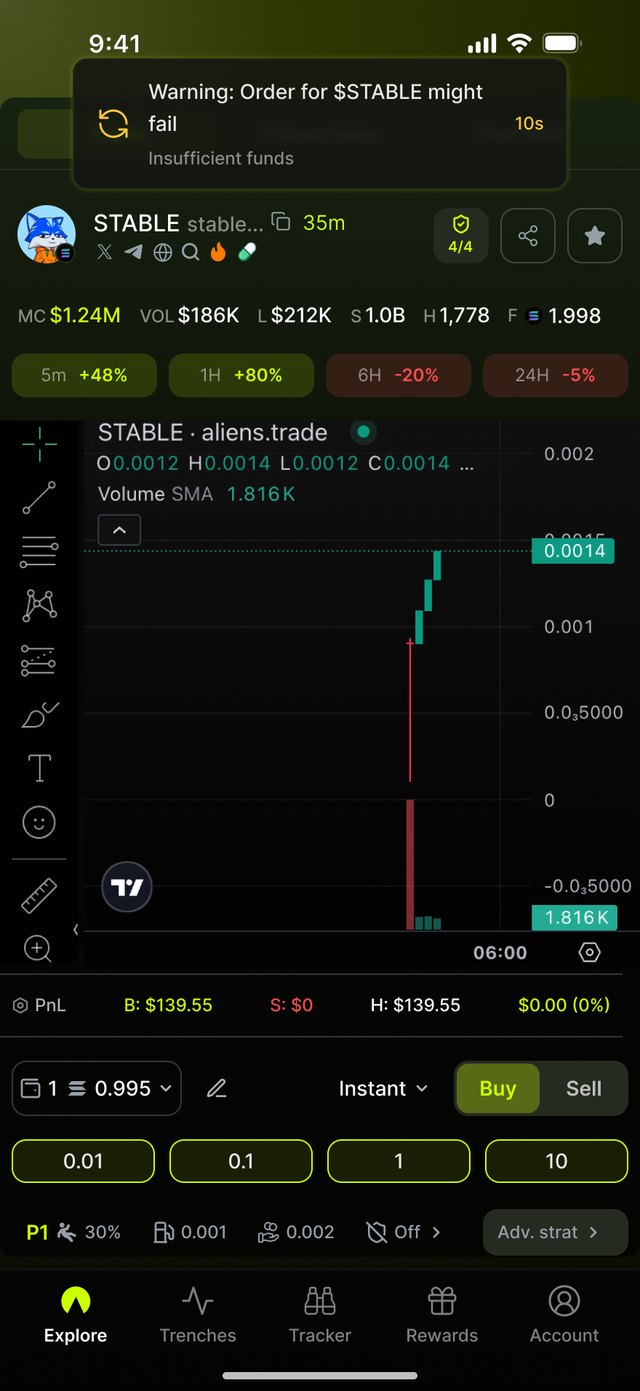
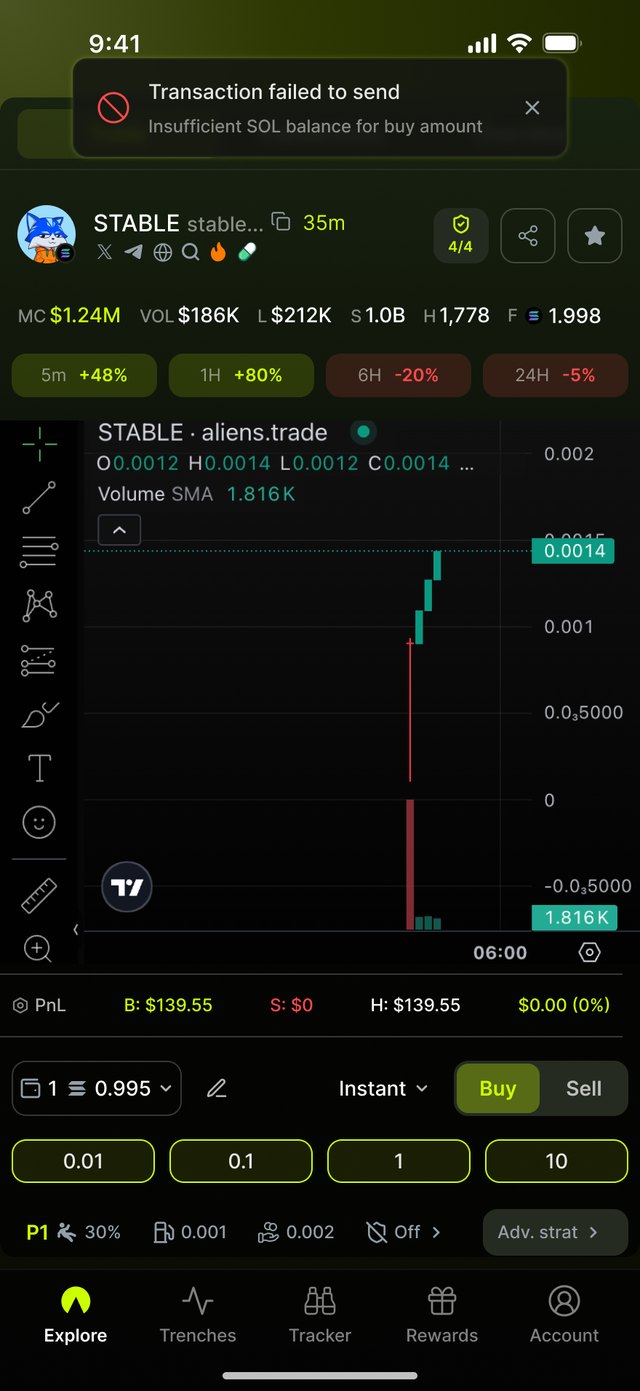
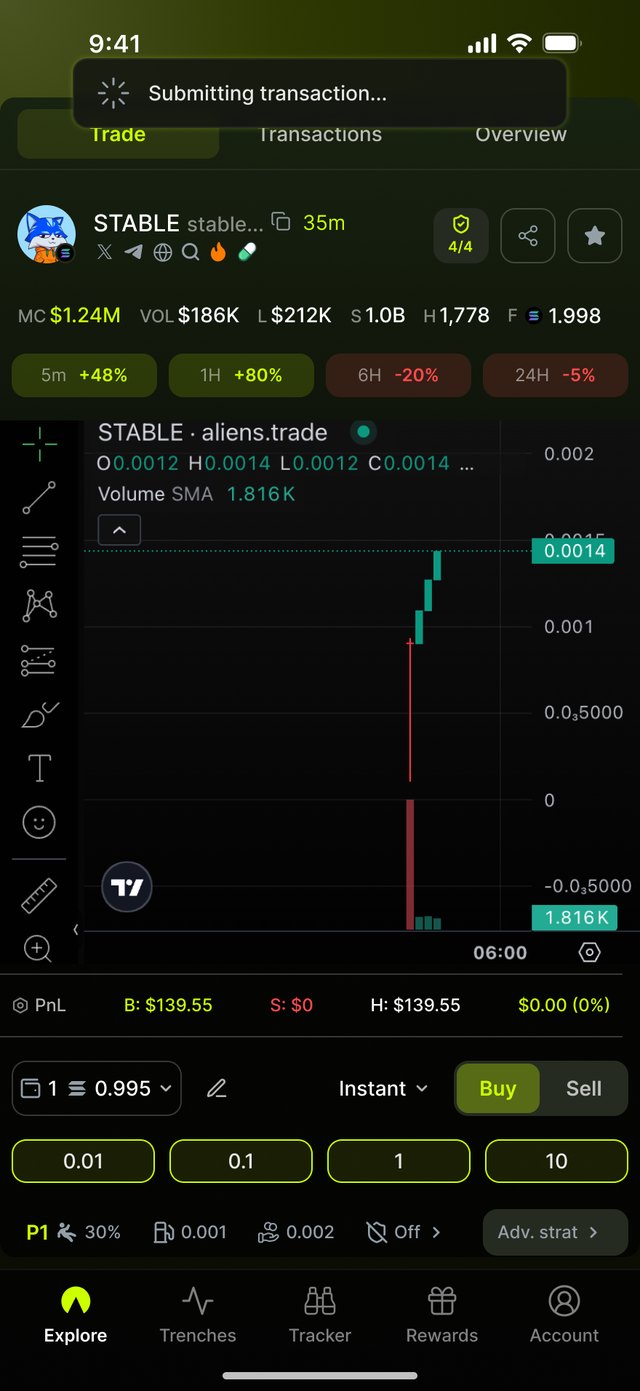
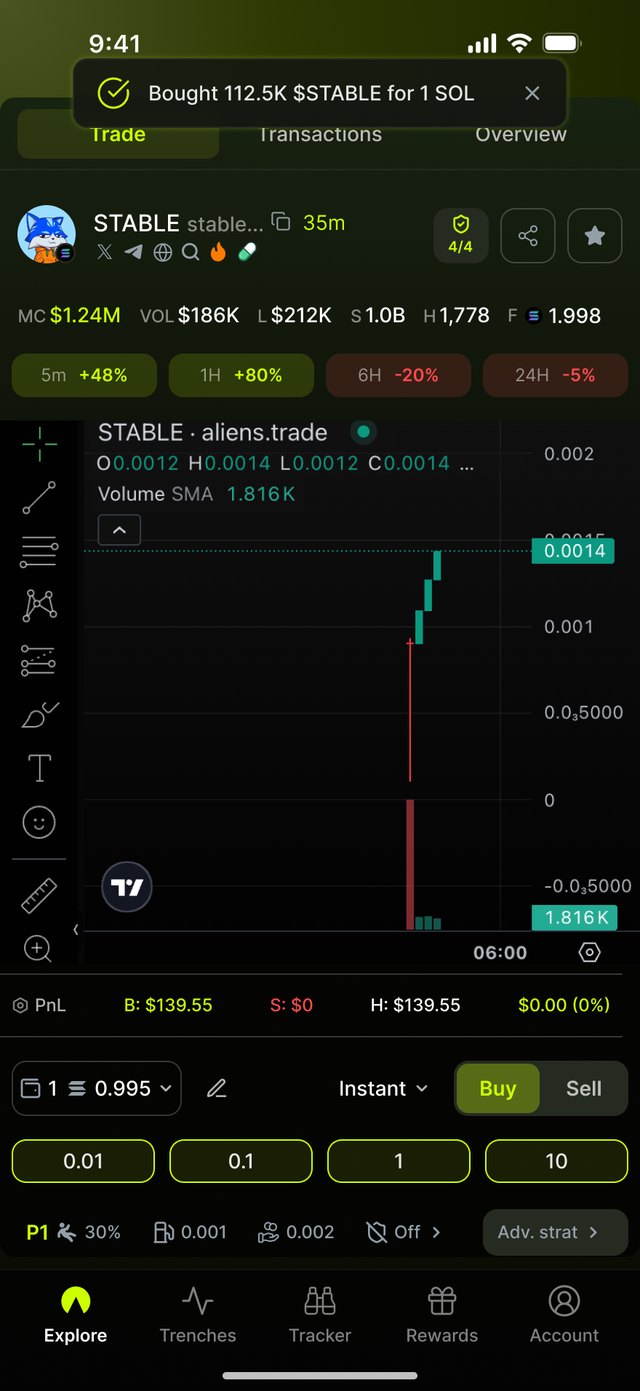
Every order reports back in the same toast at the top: sending, filled, a warning before it fails, and the failure with its reason. The chart and panel stay in view.
Submitting transaction toast
SendingSpinner while the transaction is submitted
Order filled toast
FilledTokens received; position bar updates
Insufficient funds warning toast
Might failWarns about insufficient funds, with a 10s countdown
Transaction failed toast
FailedSays why it failed: not enough funds for the buy amount
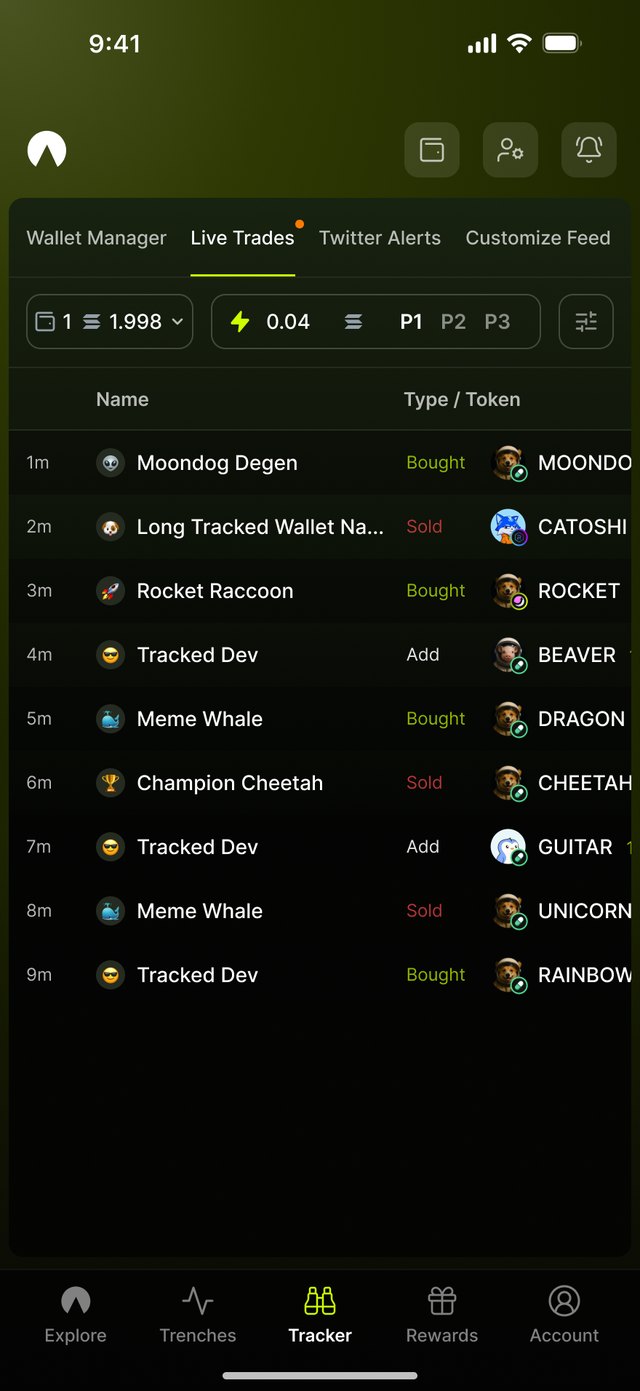
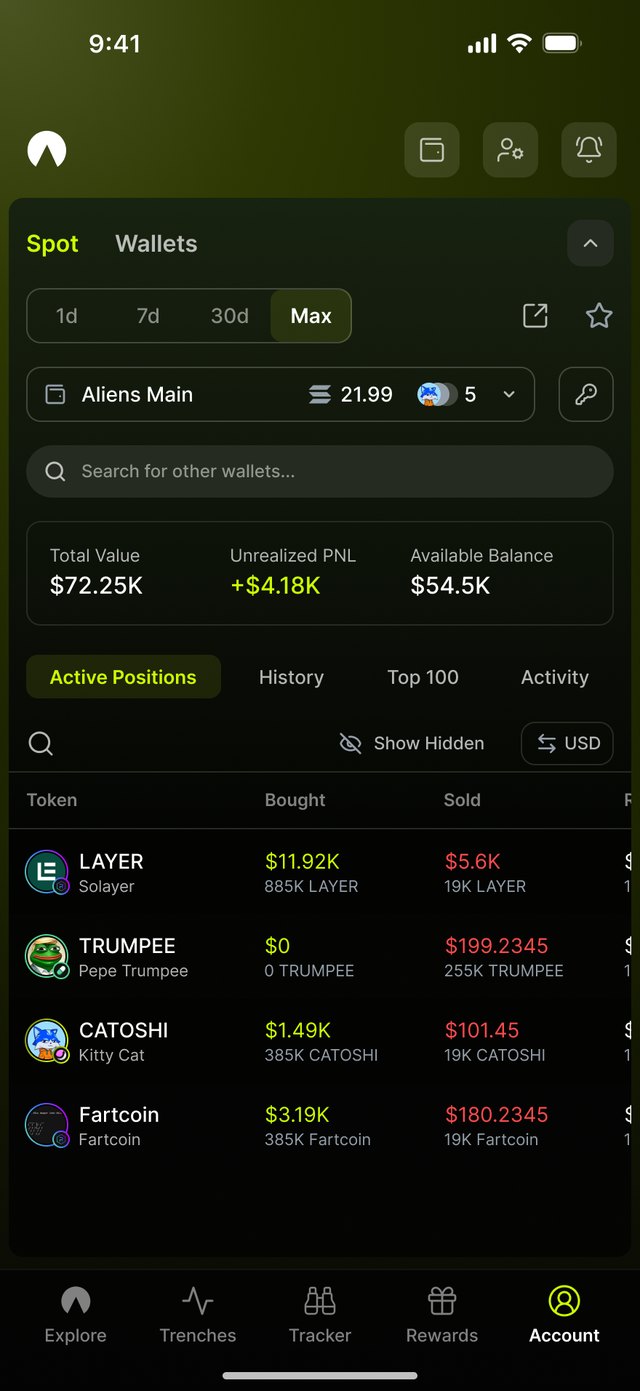
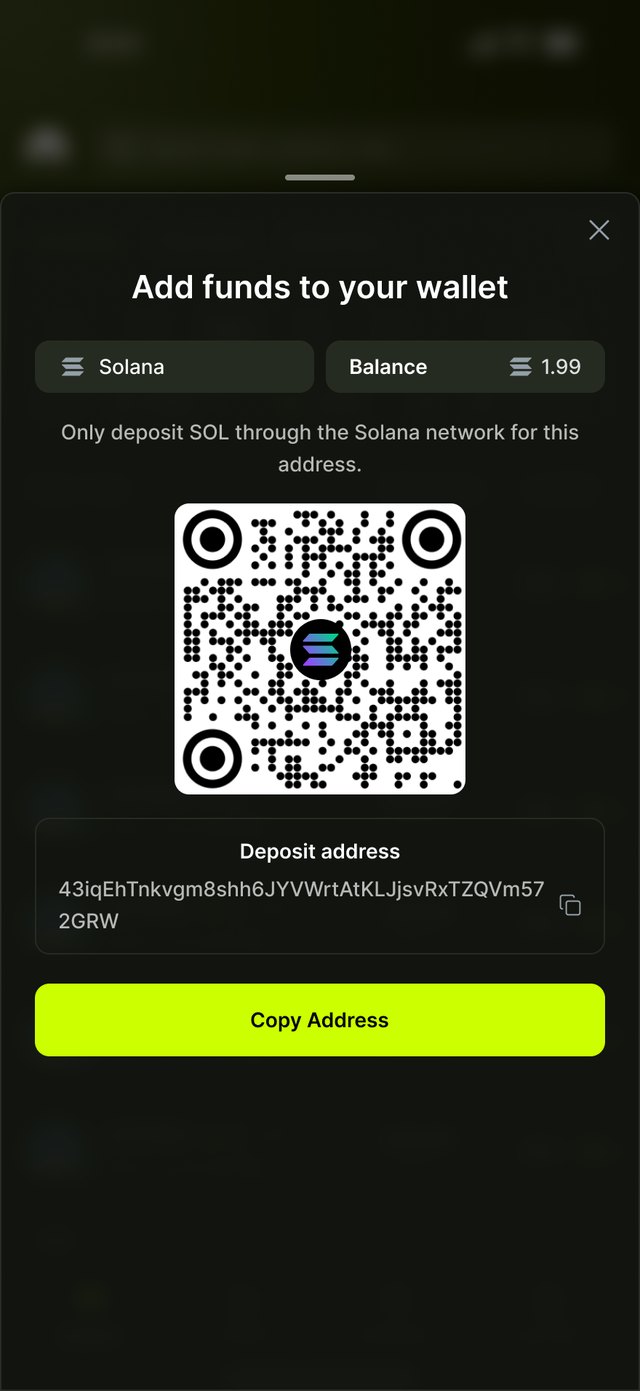
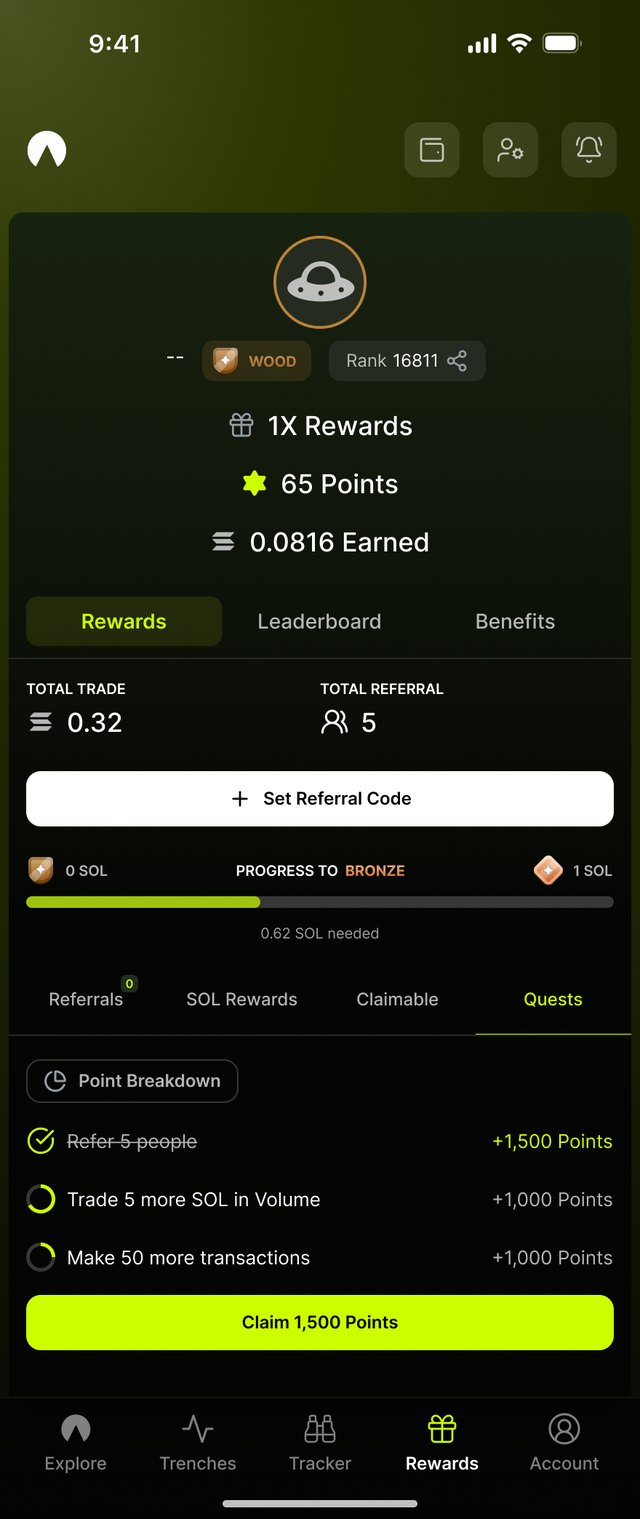
Rest of the app

Built on the same system

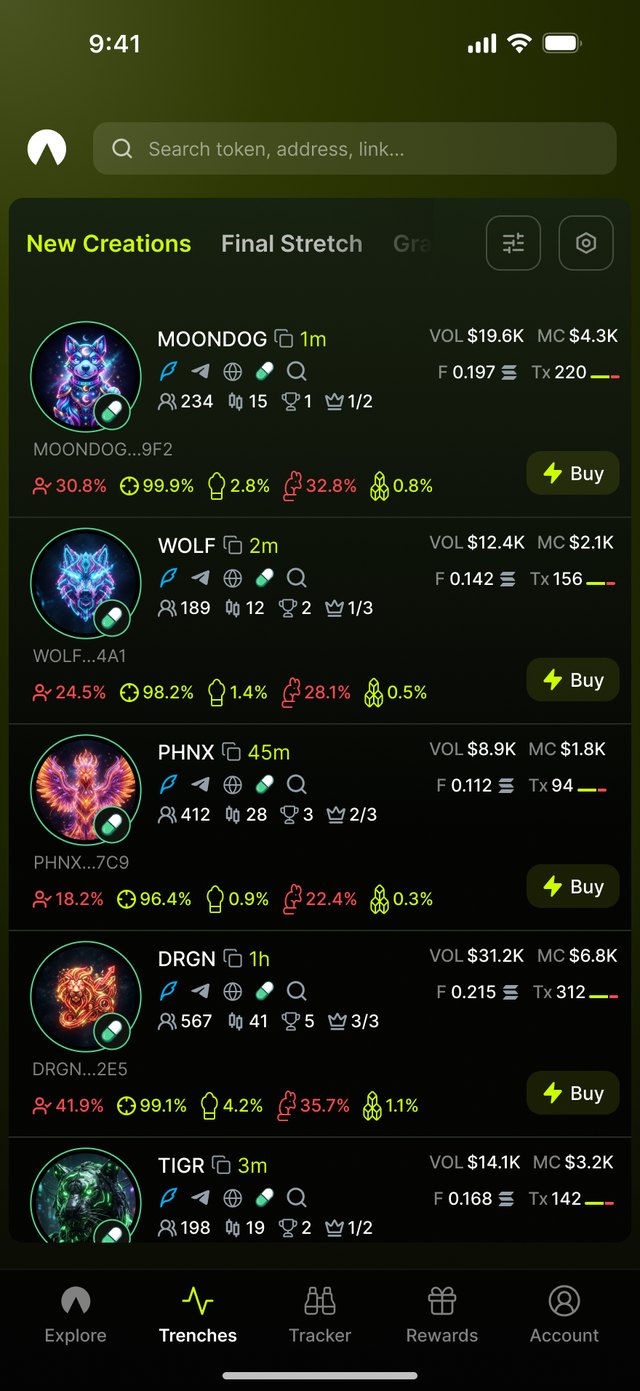
The other modules reuse the components from the trade flow. One screen each.
Outcome

Shipped, then closed by the market

Result

The mobile app shipped in 2025, just behind desktop, after two months of focused work. The market went down, so the project was closed.

Lessons learned

  • Speed comes from fewer decisions. Presets, one-tap amounts and Quick Buy did more than fitting more on screen.
  • One system, two layouts. Designing desktop and mobile together kept them consistent without slowing either team.
Credits

Thanks to Dux for working alongside me on this exciting project.

Say hello.